
AI Agent in Practice EHR
Voice-powered receptionist & call automation
1. Purpose
The AI Agent is a friendly, voice-powered receptionist. It answers phone calls at any hour, helps callers with routine tasks, and brings a human on the line only when really needed. By doing so it keeps patients happy and lightens the load on staff. Every call is saved so the clinic can see how well the system is working and make improvements over time.
Dashboard Workflow
KPIs, Recent Calls, and drag-and-drop cards
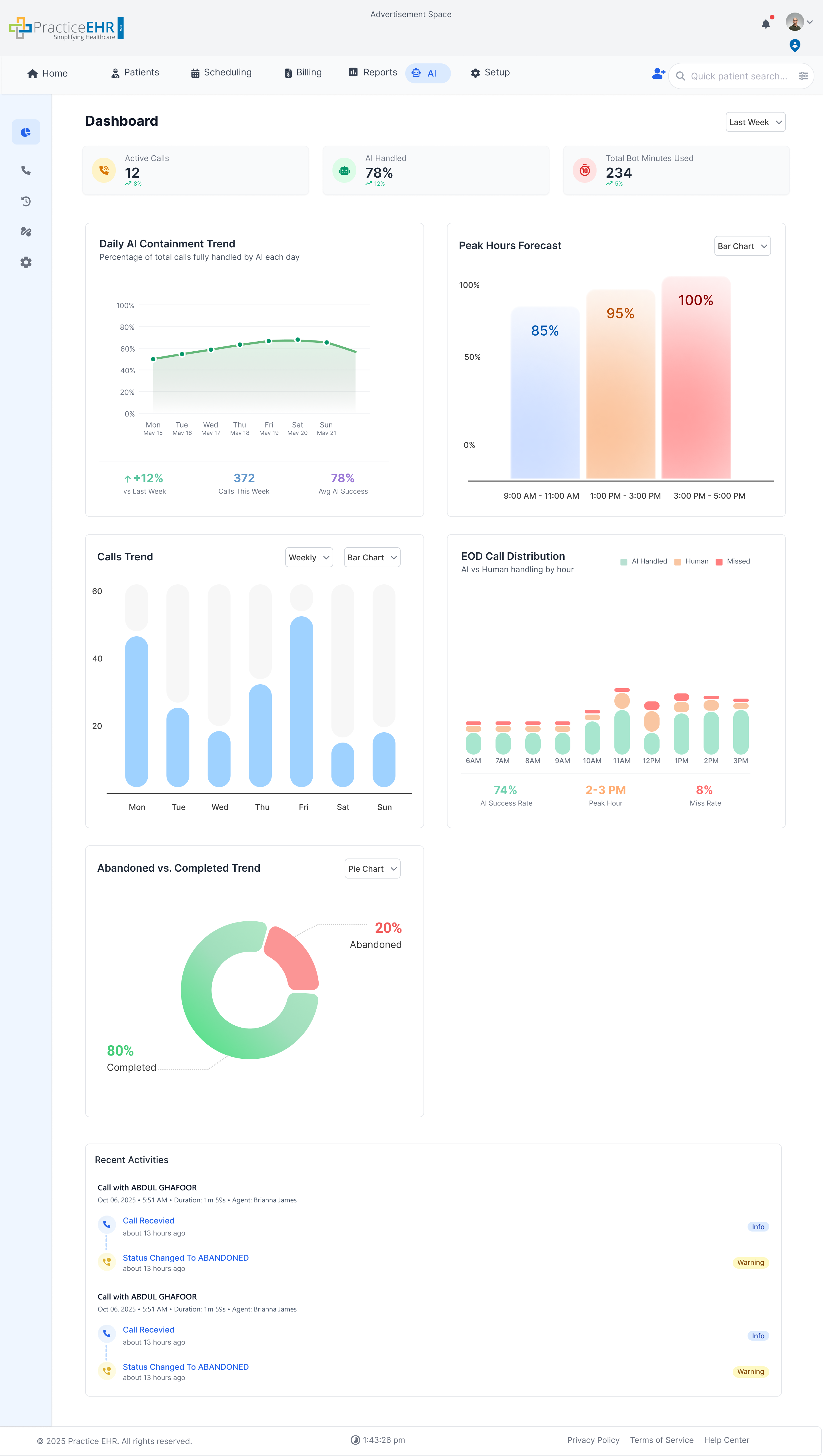
AI Transfer Popup & Wait-Time Timer
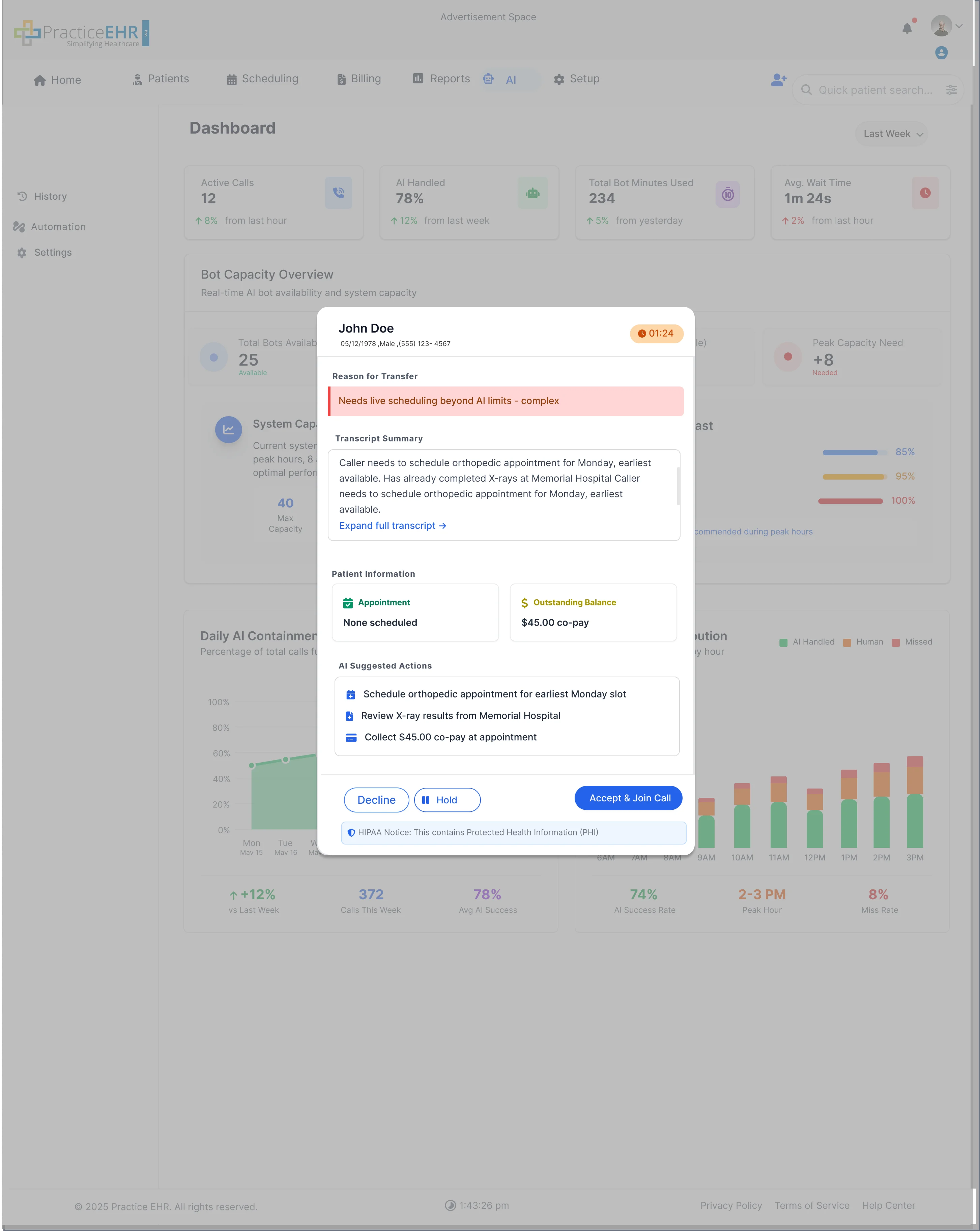
Expand Transcript
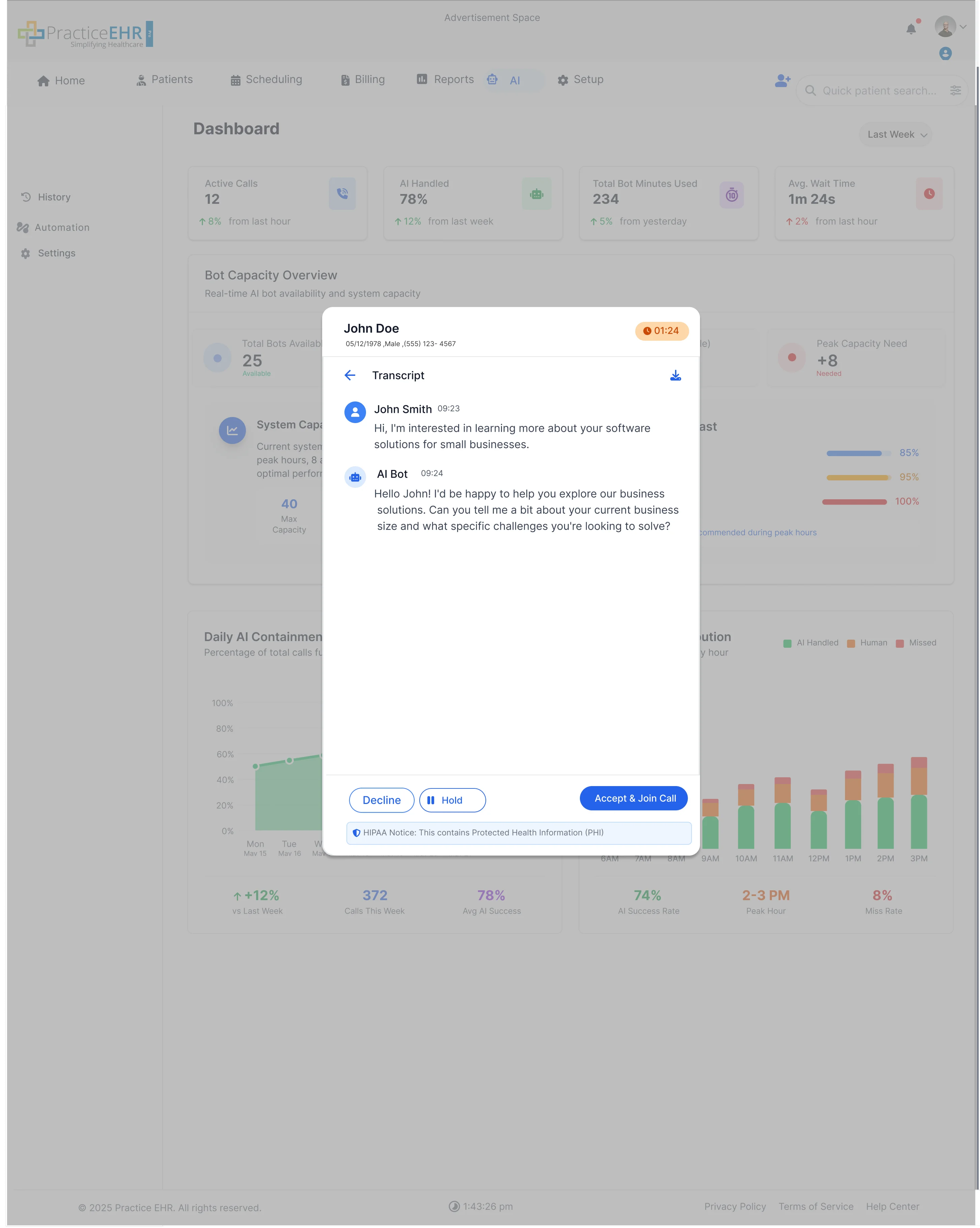
Call Handling Bar
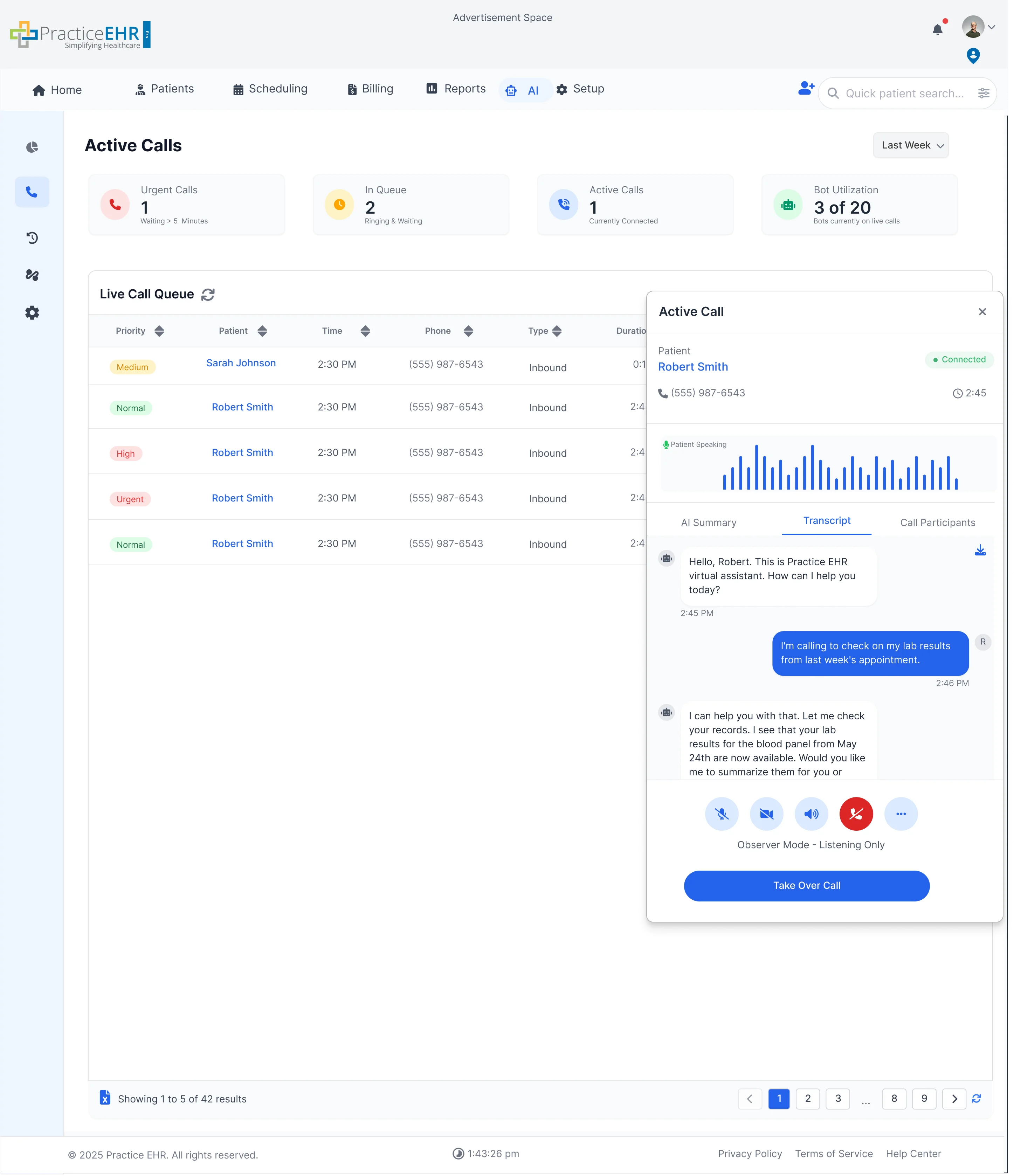
Active Calls
Live queue, statuses, duration & priorities
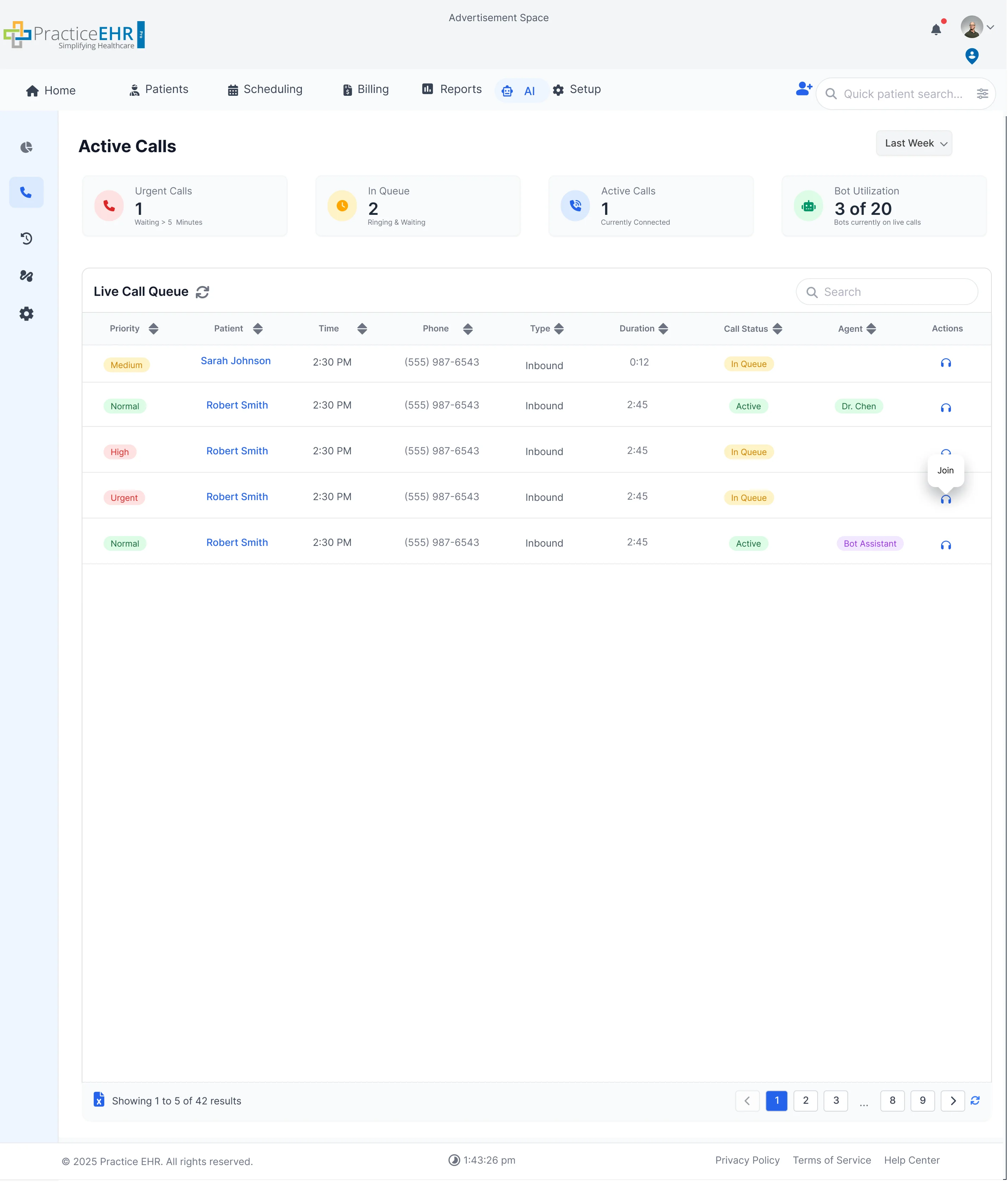
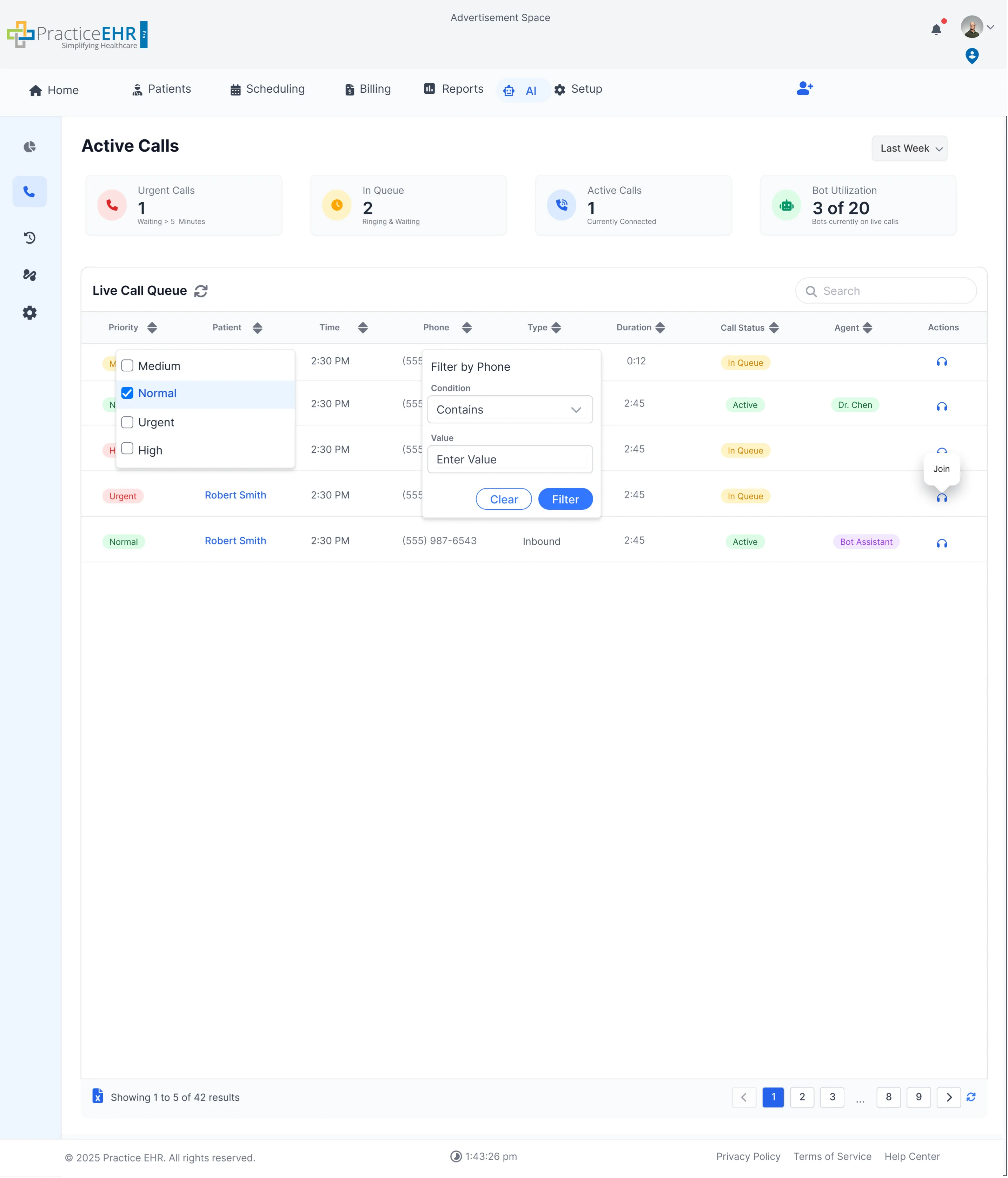
Filter Behavior Specification
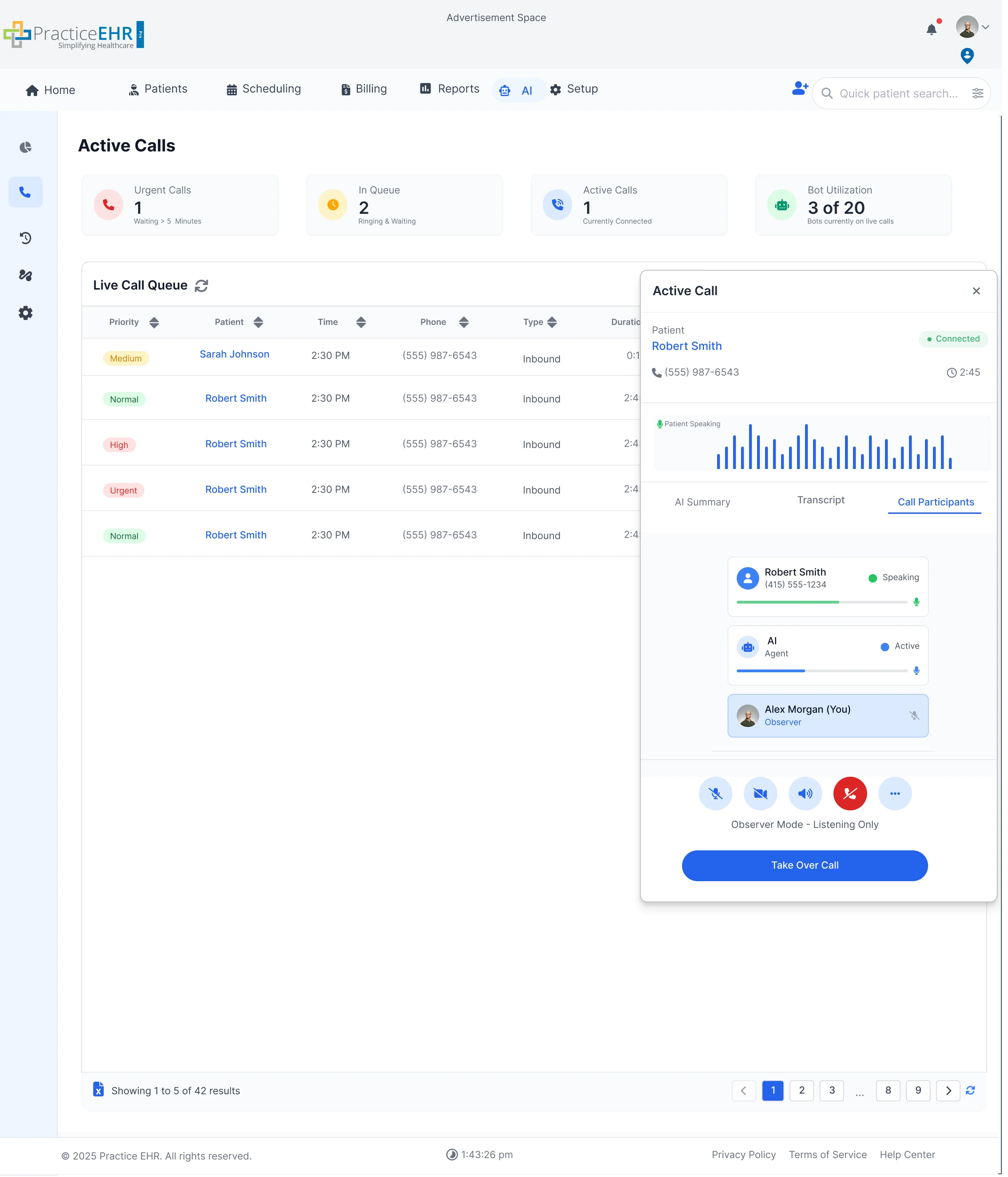
Join Call Modal
Participants Tab
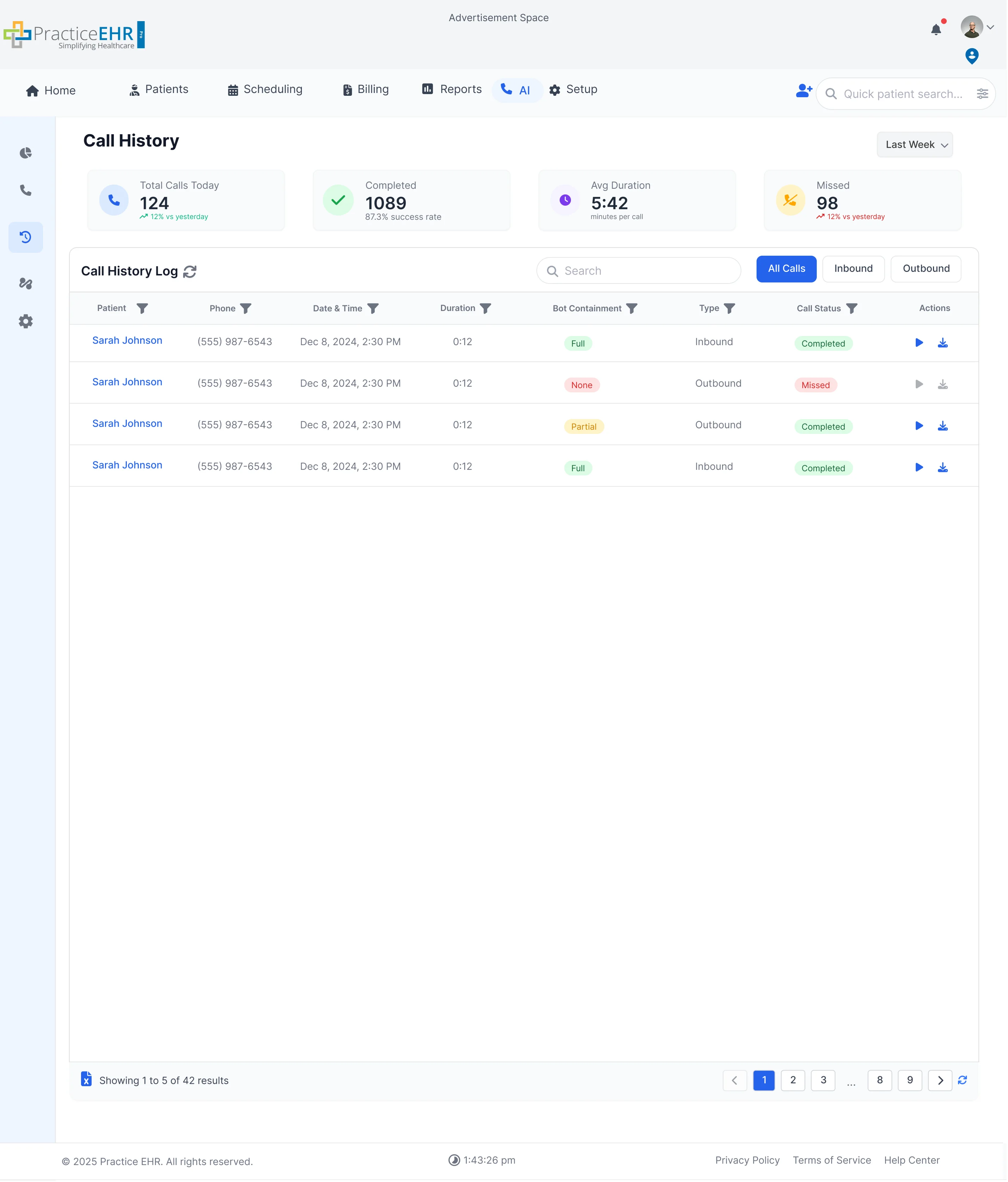
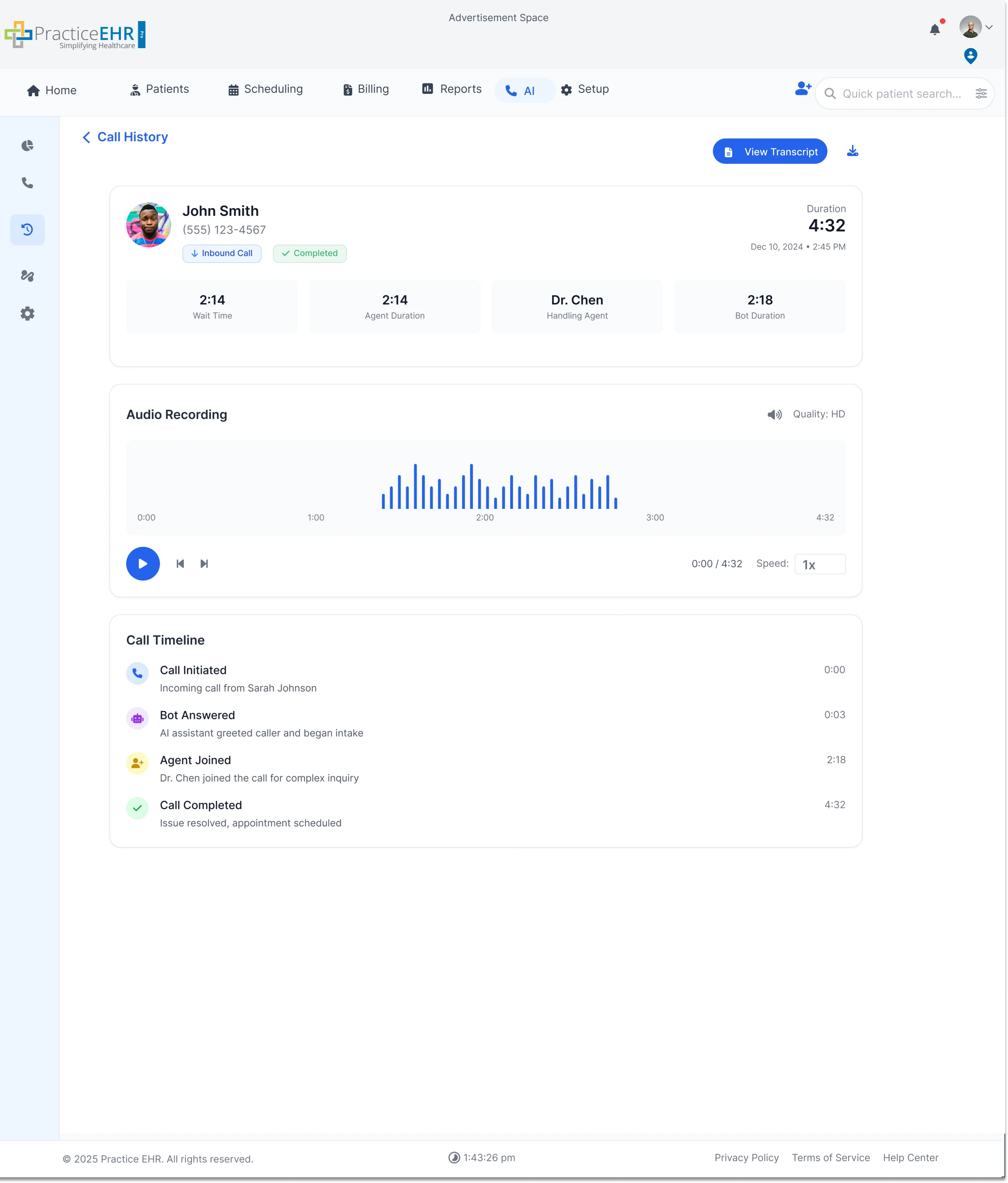
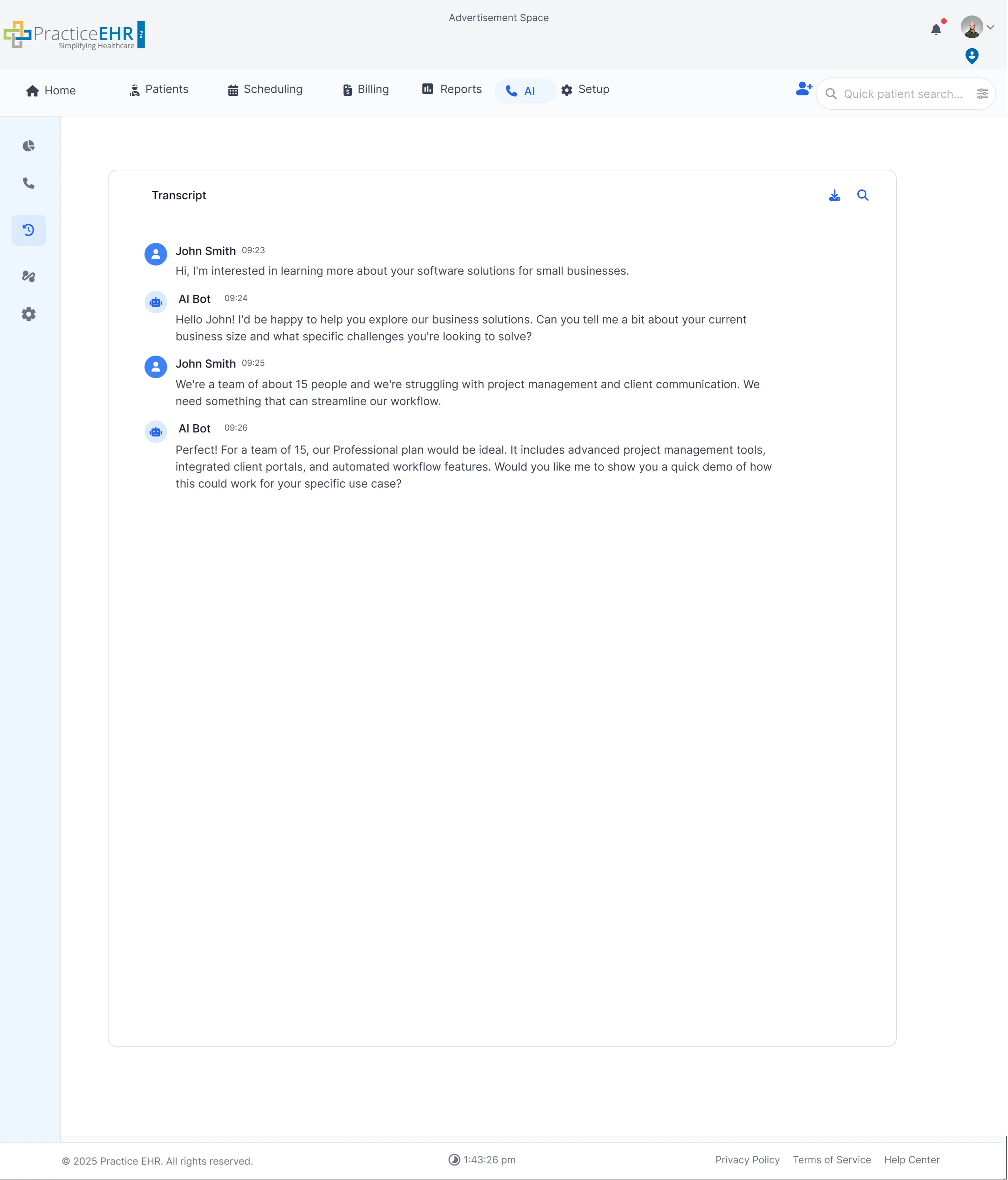
Call History
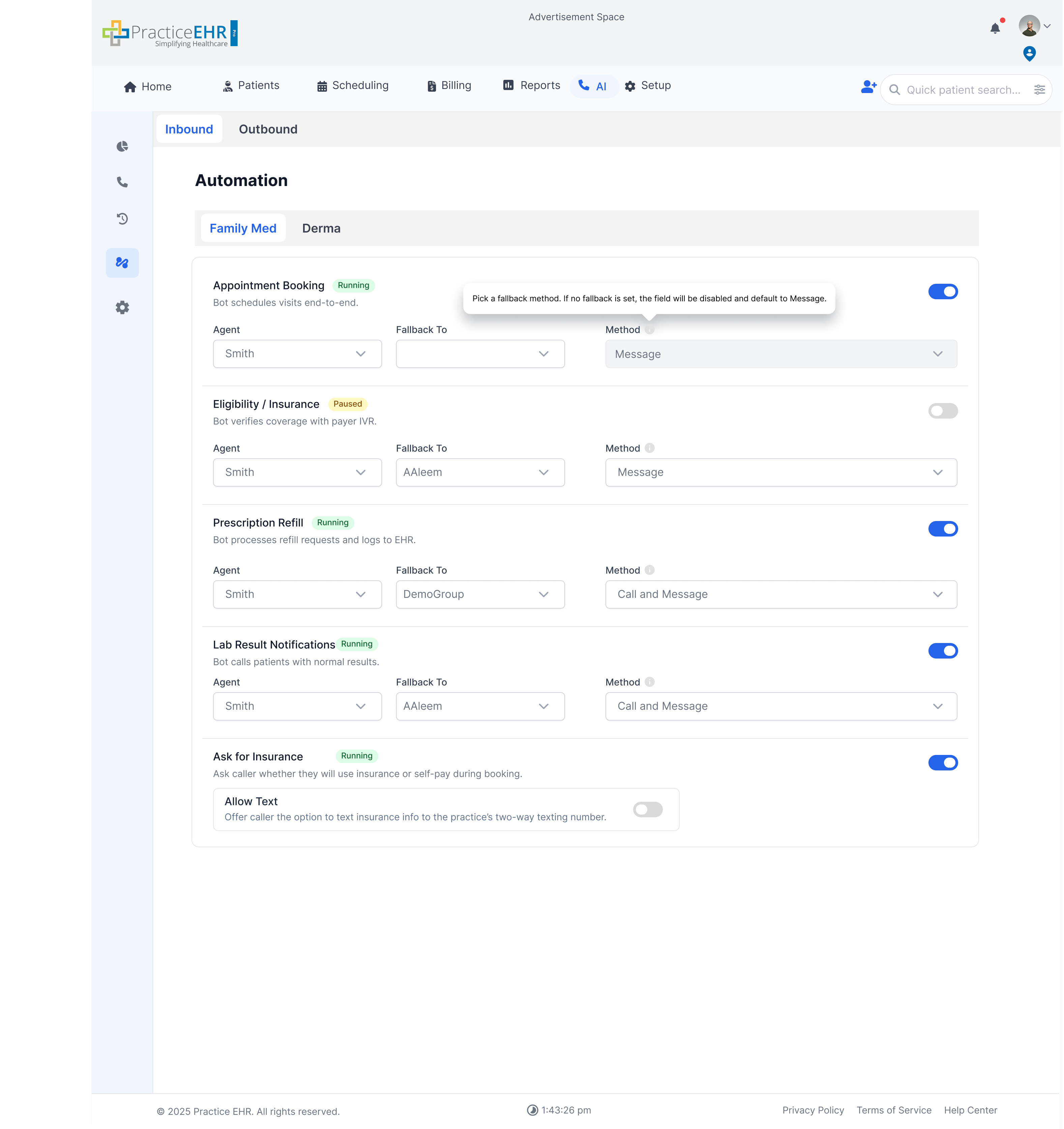
Automation
Settings
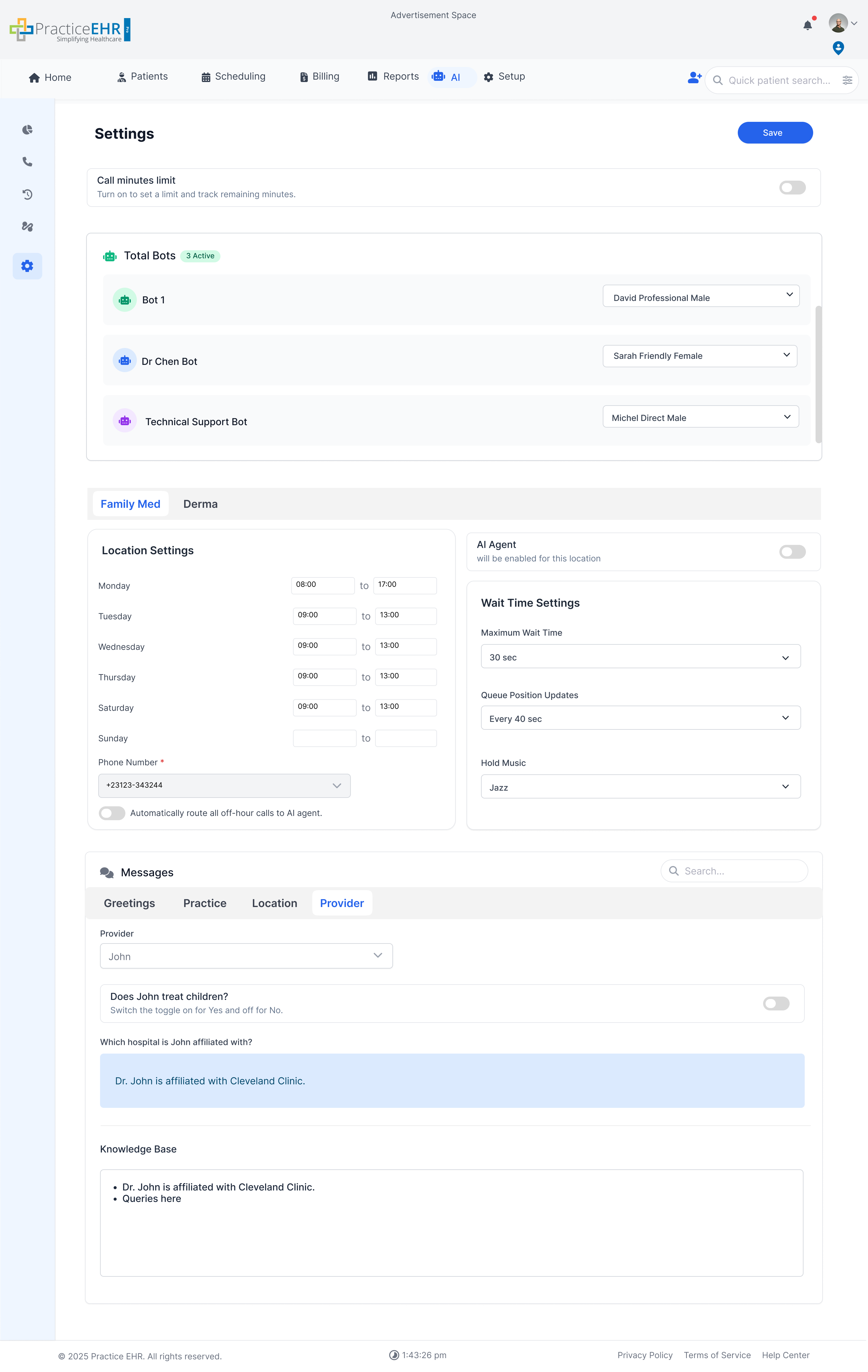
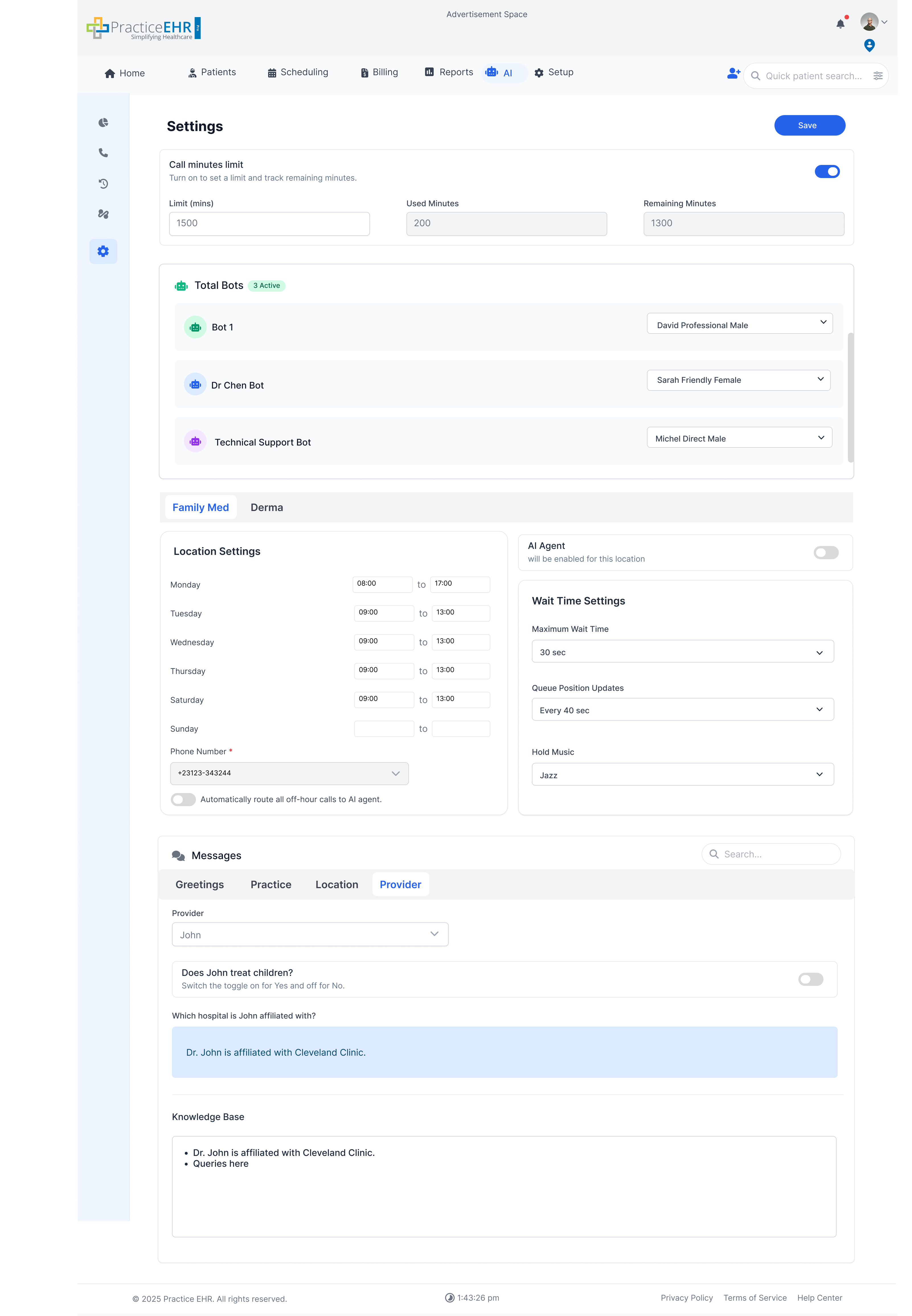
Knowledge Base
Knowledge base is an open base textarea field which contains specific details about location practice and provider. This ensures that the AI can accurately answer unique or non-standard patient inquiries that are not covered.
Each Messages tab has a Knowledge Base text area. You add short facts there, and the AI Agent uses them during calls to answer patient questions automatically.
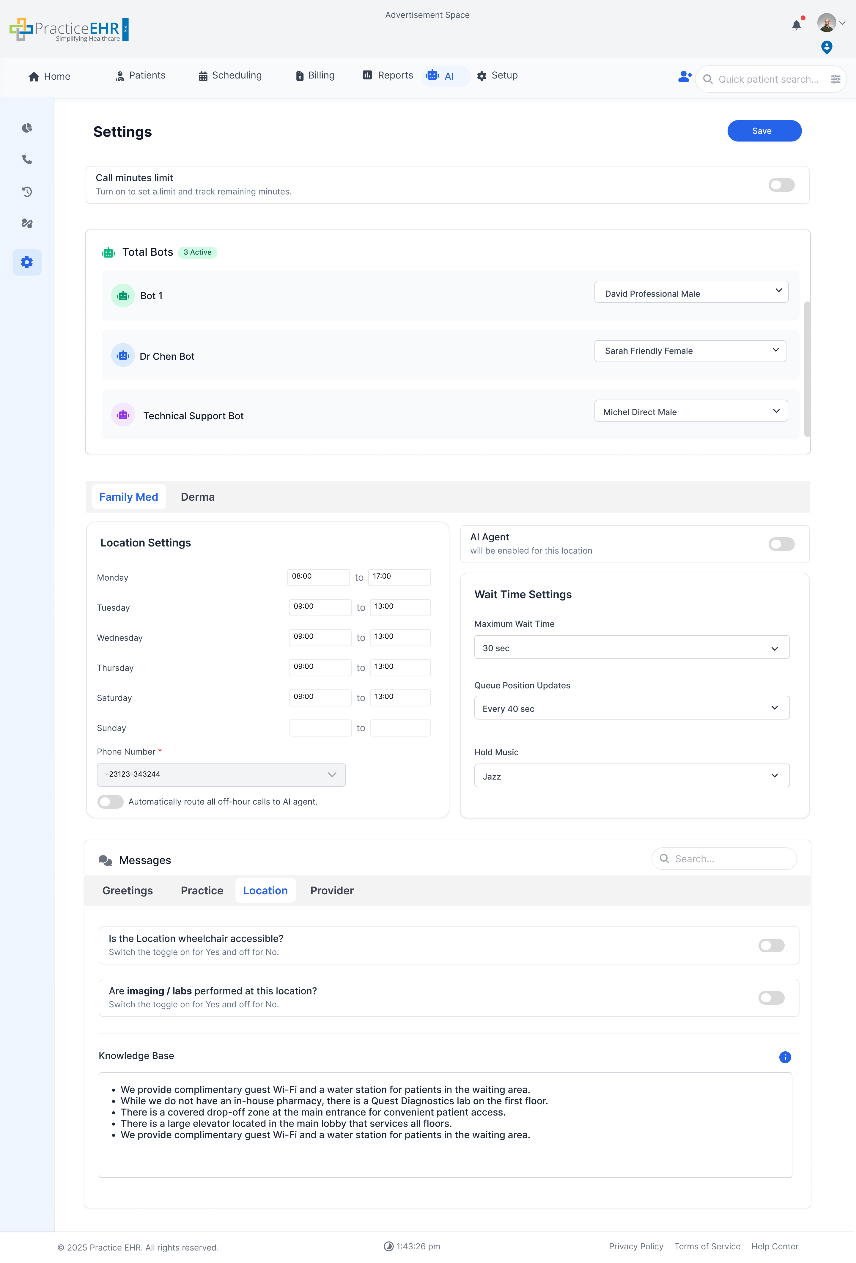
- Greetings: general call intro
- Practice: practice-wide facts
- Location: location-specific facts
- Provider: provider-specific facts
When a patient asks something, the AI Agent checks the relevant Knowledge Base and answers using the facts you wrote.
- Go to Settings -> Messages.
- Open the tab you want (Greetings / Practice / Location / Provider).
- If needed, select the Location or Provider from the dropdown.
- In Knowledge Base, add facts (one fact per line or bullet).
- Click Save.
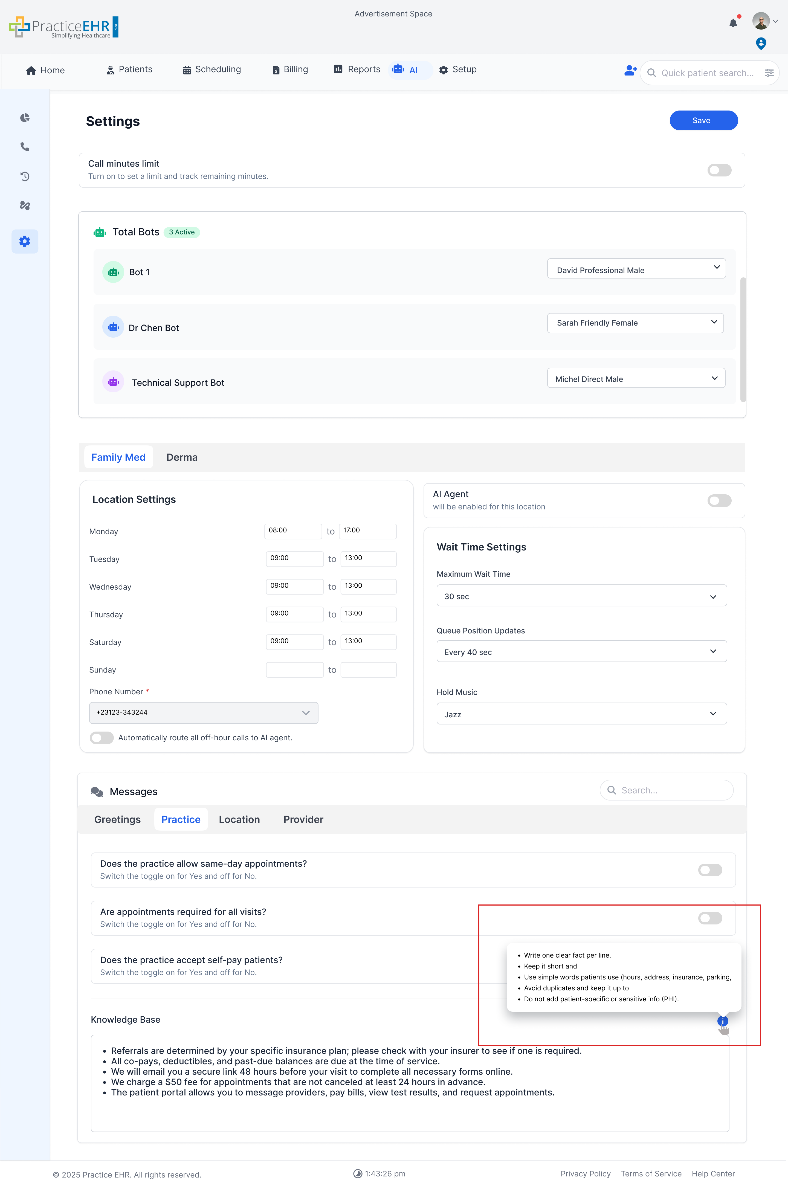
A information icon is present at the top right of the text area. It will show the following information/rules on hover
- Write one clear fact per line.
- Keep it short and direct.
- Use simple words patients use (hours, address, insurance, parking, etc.).
- Avoid duplicates and keep it up to date.
- Do not add patient-specific or sensitive info (PHI).
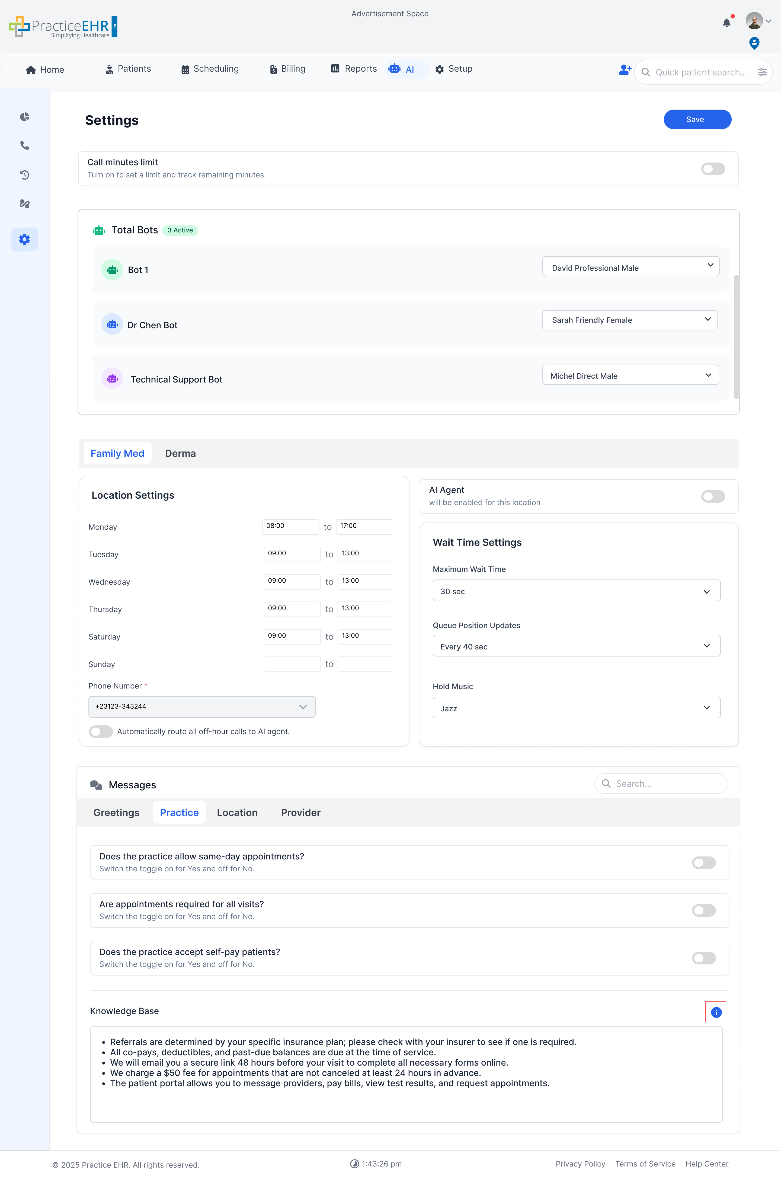
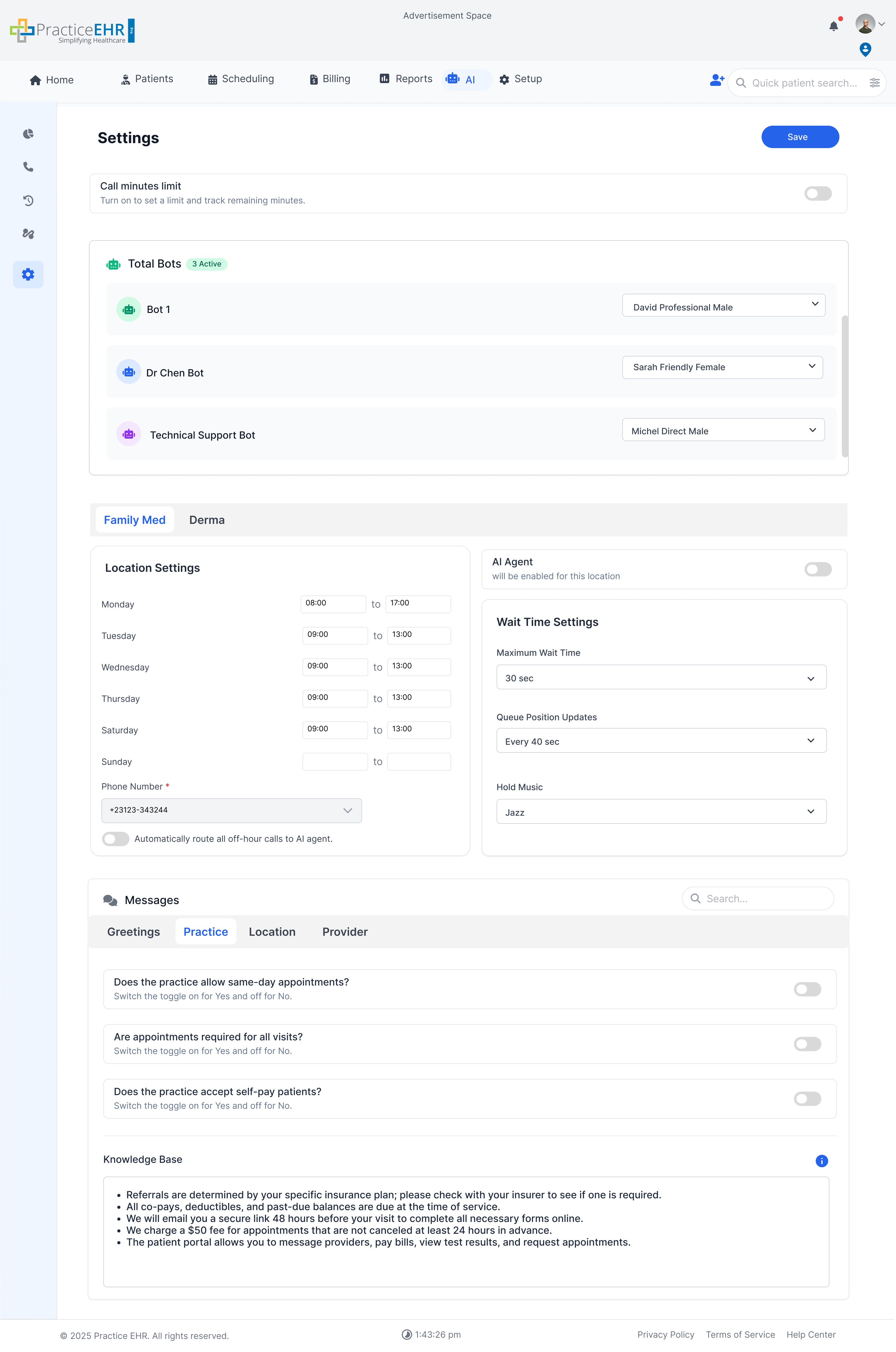
- Does the practice allow same-day appointments ?
- Are appointments required for all visits ?
- Does the practice accept self-pay patients ?
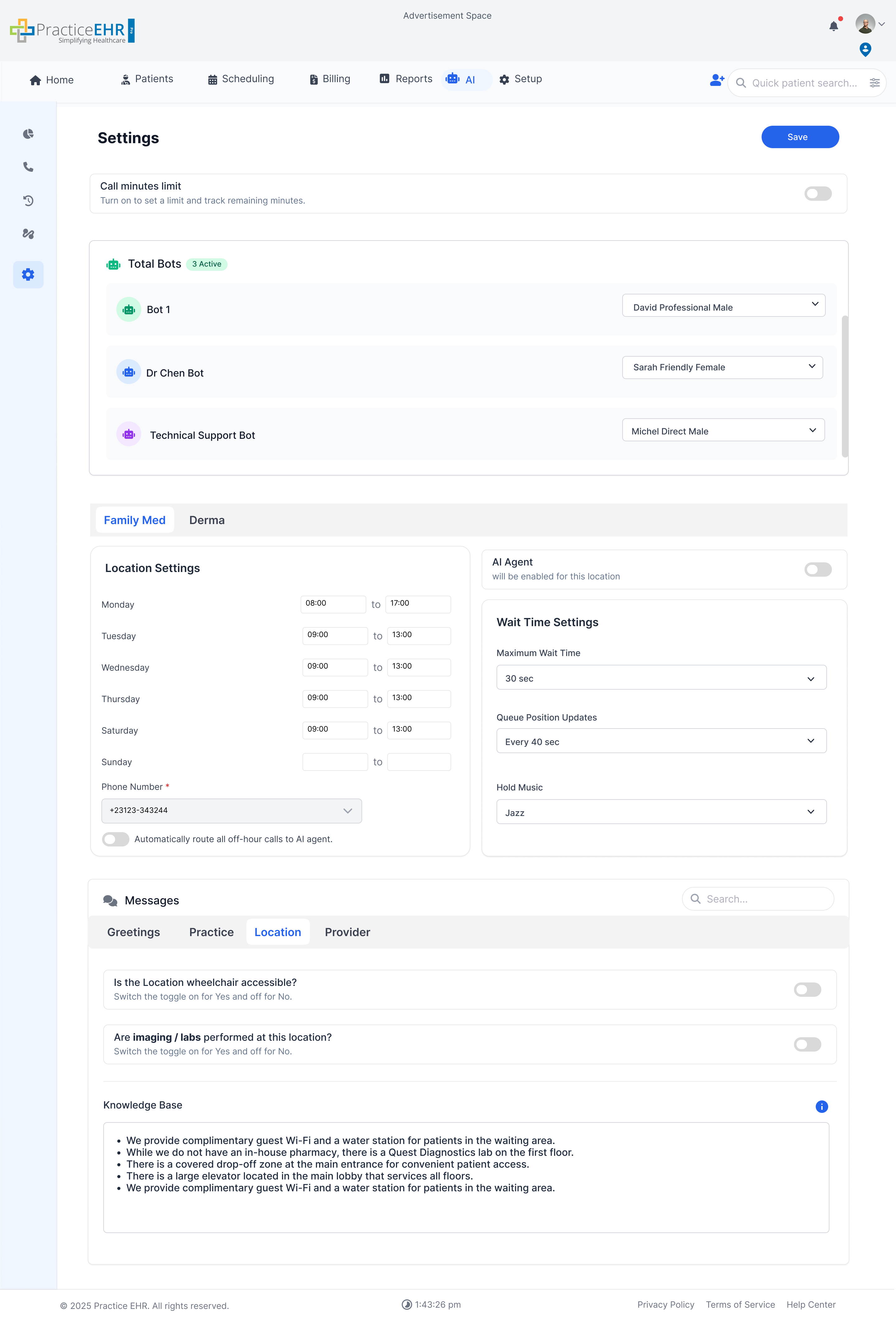
- Is the Location wheelchair accessible ?
- Are imaging / labs performed at this location ?
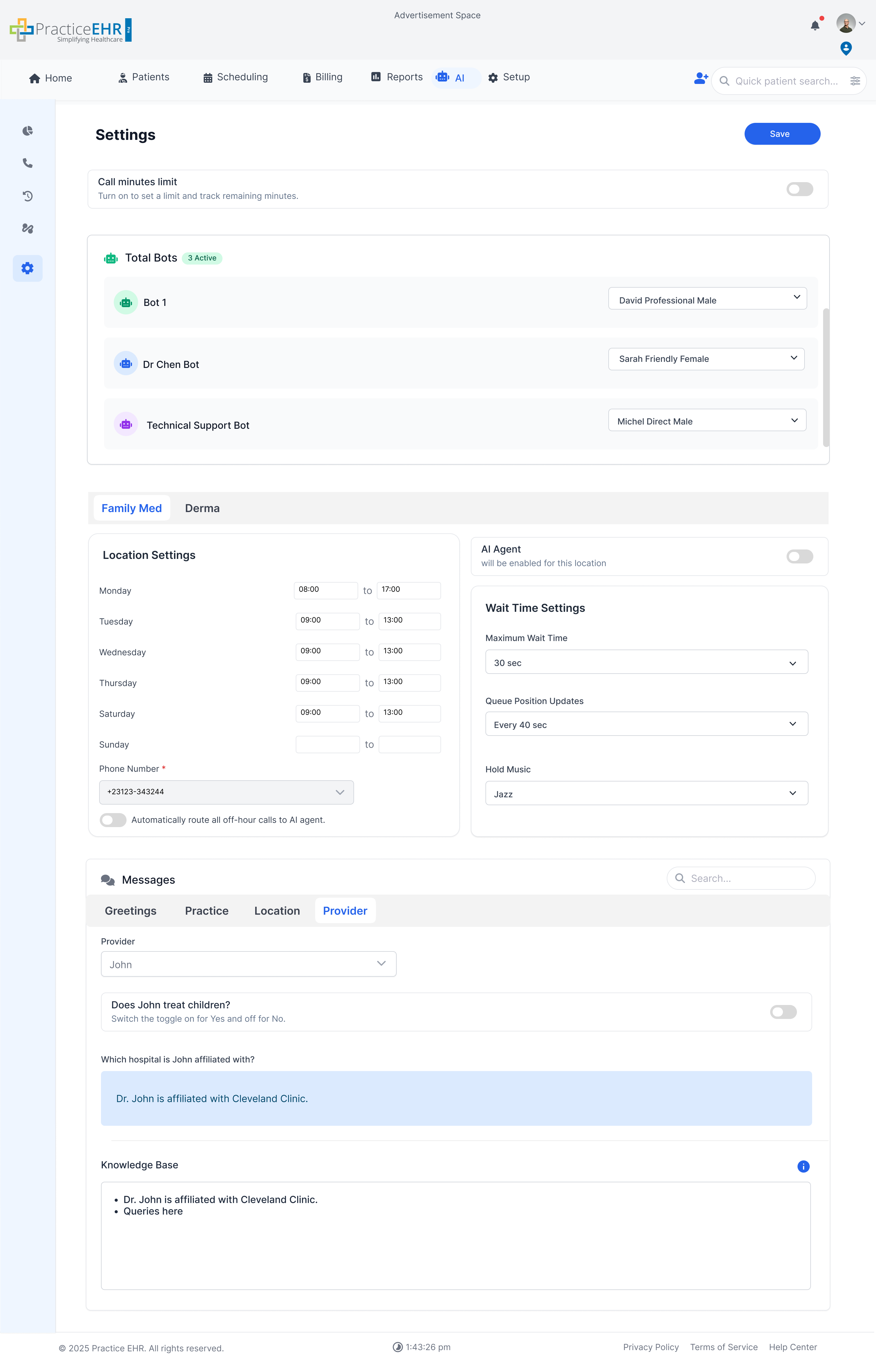
- Does Provider see children ?